
If you’re trying to pick between Nibble and Imprint, both can help you learn faster than traditional reading—but they’re built for different learning personalities.
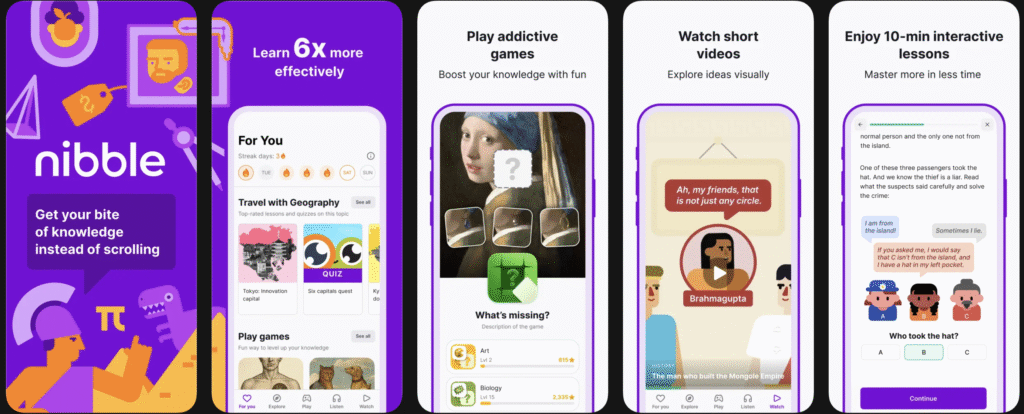
Nibble feels more like a daily interactive drill: quick lessons, taps, checks, quizzes, and short progress loops. On Google Play, it describes itself as an “all-around knowledge app” with interactive 10-minute lessons and quizzes.
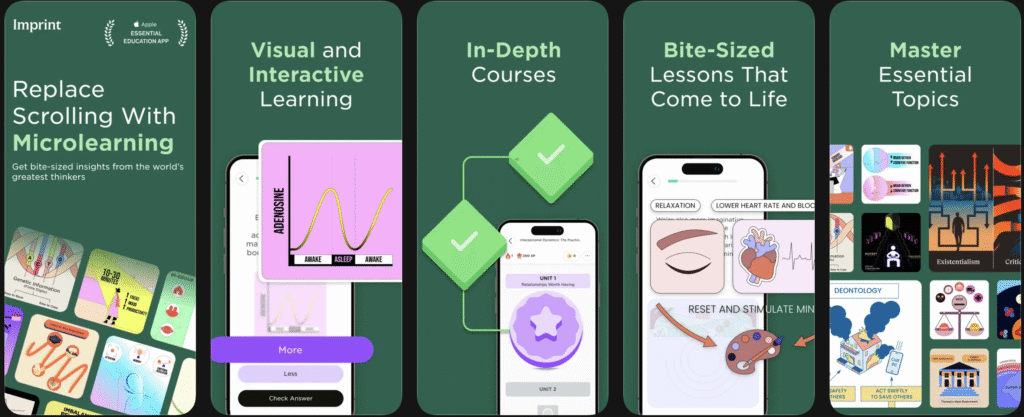
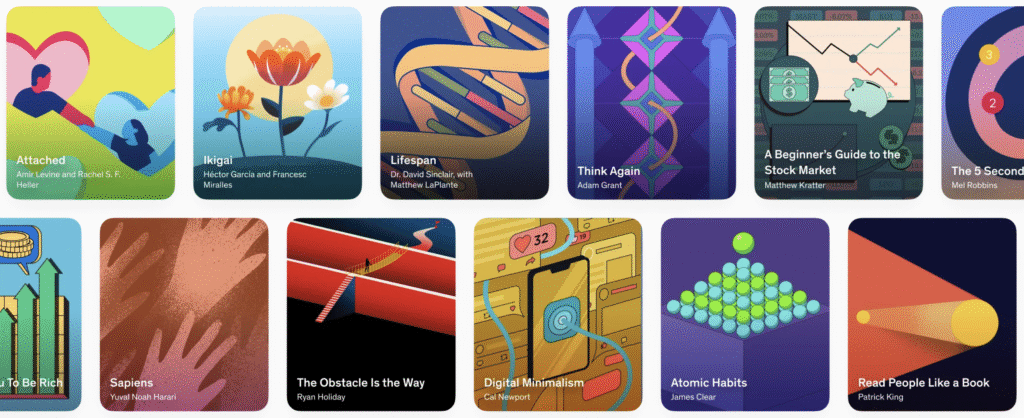
Imprint feels more like visual storytelling and concept compression. It frames itself as a visual guide to core topics (psychology, philosophy, business, finance, etc.) and emphasizes very short chapters you can finish in minutes.
So the real question is not “which one is objectively best?” but rather:
Do you learn better by answering and practicing, or by seeing and absorbing?
Nibble vs Imprint Comparison
| Category | Nibble | Imprint |
|---|---|---|
| Full name | Nibble: Your Bite of Knowledge | Imprint: Visual Micro Learning / Learn Visually |
| Core learning format | Interactive micro-lessons with quizzes and hands-on prompts | Visual microlearning with card-style explainers and short chapters |
| Typical session style | “10-minute lessons” focus, daily habit-friendly flow | Fast concept understanding through visual storytelling and concise modules |
| Best for | Learners who prefer active participation (answering, tapping, quiz loops) | Learners who prefer visual comprehension and idea summaries |
| Content positioning | “All-around knowledge” app across broad topics | Broad knowledge categories + visual guides to bestselling books |
| Subscription model | Auto-renewing subscriptions; trial/renewal terms shown in store listing | Auto-renewing monthly + yearly subscriptions in listings |
| Publicly listed example prices* | Varies by offer/region; Nibble’s own pricing page shows examples (web offers shown at time of writing) | App Store listings commonly show $15.99/month and $99.99/year (can vary by storefront/promos) |
| Platform availability | iOS + Android + web presence | iOS + Android + web presence |
| Brand promise in one line | Learn by doing in short, interactive bursts | Understand complex topics quickly through elegant visuals |
| Best choice if… | You need consistency, interactivity, and quiz momentum | You want fast clarity, visual learning, and compact big-idea explainers |
When comparing user ratings across major platforms, Imprint currently holds a stronger position on the App Store, where it maintains an exceptionally high average (around 4.8★) with tens of thousands of ratings, reflecting strong satisfaction with its visual design and clarity-focused learning style. Nibble also performs well, typically averaging around 4.3–4.5★ across iOS and Android, indicating generally positive feedback for its interactive, quiz-based format.
What is Nibble App?
Nibble is a microlearning app (“Nibble: Your Bite of Knowledge”) that turns general education into short, interactive sessions you can do in about 10 minutes. Instead of long courses, it uses bite-sized lessons and quizzes across many topics, with a habit-friendly format meant for quick daily learning (for example, during a break or commute). In short, it’s designed for people who want to learn consistently in small chunks rather than sit through traditional, long-form study.
In practical terms, this style works well if:
- you lose focus during long lessons,
- you like testing yourself while learning,
- you want a “few minutes a day” routine that feels structured.
Nibble’s App Store pages also clearly mention subscription auto-renewal and trial-to-paid behavior (cancel at least 24 hours before renewal).
That’s standard for many apps, but it matters because user satisfaction can depend as much on billing clarity as on learning quality.
What is Imprint App?
Imprint is built around visual explanation. The app emphasizes elegant visuals, bite-sized chapters, and quick understanding of complex ideas. It also highlights themed catalogs like courses, quick reads, and visual guides to bestselling books.
This style works best if:
- you’re a visual learner,
- you want to understand ideas quickly without reading full books,
- you prefer polished, narrative-style learning flows.
Imprint’s listings describe monthly and yearly auto-renewing subscriptions and provide example price points in some storefronts.
Pricing Comparison: Nibble vs Imprint
When you’re choosing between Nibble and Imprint, pricing is an important factor — but it’s also one of the most confusing. Both apps use subscription models with free trials, auto-renewal billing, and multiple plan options, and the exact prices you see can differ by your country, device store, and active promotions. In general, Nibble’s pricing tends to offer more varied entry tiers (like monthly, quarterly, and annual), while Imprint typically highlights straightforward monthly and yearly subscriptions. What matters most is what you get for the price: interactive lessons and practice for Nibble, versus visual concept summaries and curated learning paths for Imprint. Below is a snapshot of typical pricing structures to help you compare.
Pricing Comparison Table
| Feature | Nibble | Imprint |
|---|---|---|
| Subscription Types | Monthly, quarterly, annual (varies by region) | Monthly, annual |
| Typical Monthly Price† | Around $15–$20/month (store offer dependent) | Around $15.99/month |
| Typical Annual Price† | Around $49–$99/year (offer dependent) | Around $99.99/year |
Nibble vs Imprint: Learning experience
Here’s the plain-language difference most people feel after a few sessions:
Nibble gives you momentum.
You open it, do a short interactive sequence, answer prompts, get micro-rewarded, and leave feeling productive. If your biggest challenge is consistency, this can be a big win.
Imprint gives you clarity.
You open it, consume a visual breakdown of an idea, and close with a cleaner mental model. If your biggest challenge is “I don’t understand this topic quickly,” Imprint usually feels smoother.
What Topics Do Nibble and Imprint Cover?
One of the biggest differences between Nibble and Imprint isn’t just how they teach — it’s also what they focus on.
Nibble: Broad, General Knowledge Across 20+ Subjects
Nibble positions itself as an all-around knowledge app. Its content spans a wide mix of disciplines, making it feel closer to a mini general-education platform than a niche learning tool.
You’ll typically find topics such as:
- Math, logic, and statistics
- Biology, geography, space, paleontology
- History, philosophy, literature
- Psychology and criminology
- Personal finance and understanding AI
- Art, cinema, music, food
- Science and technology basics
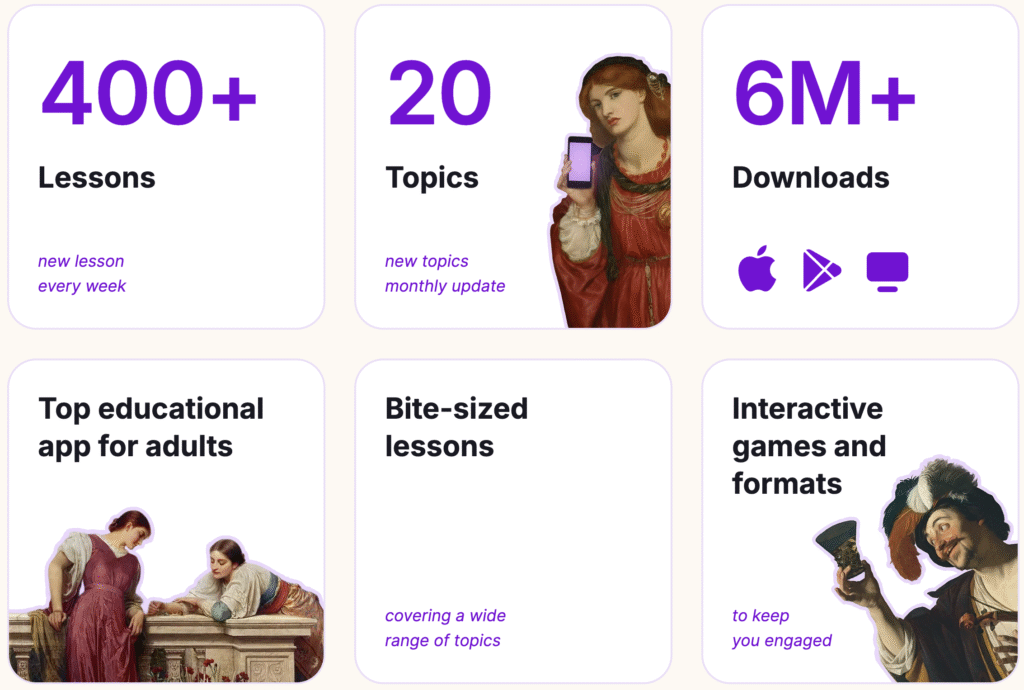
The structure is interactive and lesson-based, so the emphasis is less on deep academic exploration and more on digestible, curiosity-driven knowledge. If you like jumping between subjects and learning something new every day, Nibble’s variety is one of its strongest points.
In short, Nibble is built for intellectual breadth.
Imprint: Concept-Driven Learning Around Big Ideas
Imprint takes a more curated, concept-first approach. Instead of spreading widely across small facts, it organizes content around big frameworks, best-selling books, and influential ideas.
Its catalog commonly includes:
- Psychology and human behavior
- Philosophy and major schools of thought
- Economics and business fundamentals
- Productivity and personal growth
- Leadership and career development
- Health and wellness
- History and cultural themes
- Science and technology insights
Rather than offering general trivia-style exposure, Imprint tends to focus on helping you understand core ideas quickly and clearly. Many lessons feel like visual summaries of influential books or expert knowledge.
In short, Imprint is built for intellectual depth and clarity.
User Feedback: Nibble vs Imprint
Before choosing between Nibble and Imprint, it’s helpful to look beyond feature lists and ratings and see what real users are actually saying. Both apps are well-rated overall, but the tone of feedback reveals important differences. Nibble users often focus on interactivity and subscription experience, while Imprint users talk more about visual design, clarity, and perceived value for money. Below is a quick breakdown of the most common positive and negative themes.
Nibble — What Users Like
Many users praise Nibble for being interactive and engaging.
- “interactive, fun, and easy to follow” — App Store review
- “Best App I’ve downloaded in years” — App Store review
Users often say it feels productive and habit-forming.
Nibble — Common Complaints
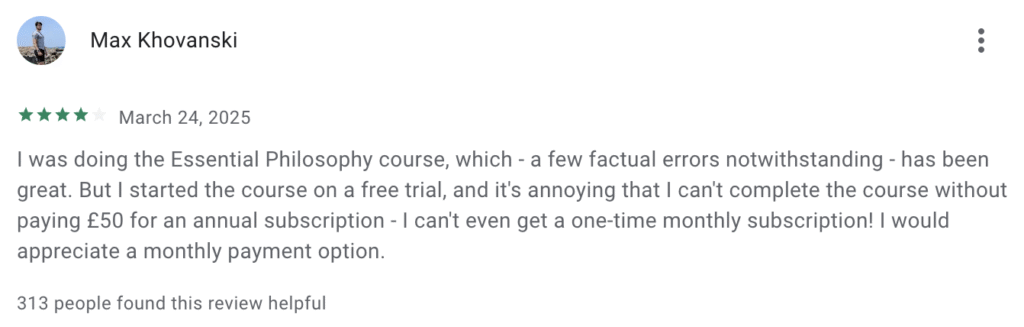
The main criticism centers around subscriptions and paywalls.
- “can’t even learn without paying/paywall” — App Store review
- “I couldn’t unsubscribe in the app” — App Store review
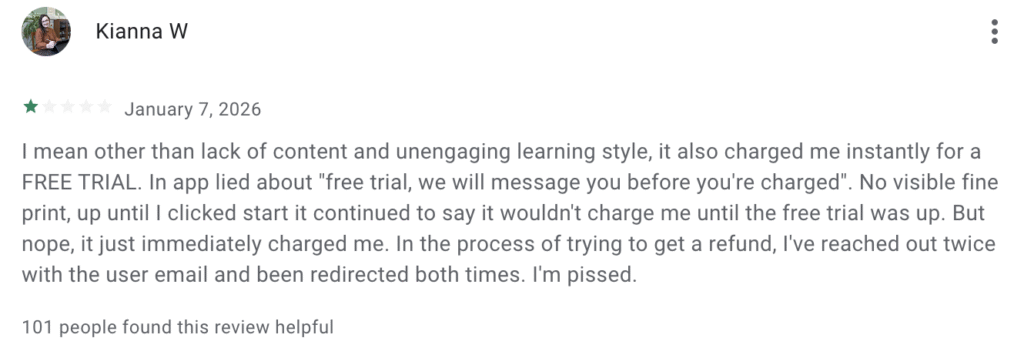
Overall pattern: strong concept, but mixed feelings about billing transparency.
Source: apps.apple.com
Imprint — What Users Like
Imprint receives consistent praise for visual clarity and design.
- “The content is first-rate… works well for my ADHD” — App Store review
- “aesthetically pleasing, succinct, and powerful” — Reddit user
Users frequently highlight how easy it is to understand complex ideas.
Imprint — Common Complaints
Criticism typically focuses on value and visual overload.
- “not enough content to warrant the price” — Reddit user
- “unnecessary visuals only defocus” — App Store review
Sources:
Overall pattern: highly praised for design and clarity, but some users question depth or price.
Which App Should You Choose?
Choosing between Nibble and Imprint ultimately depends on how you prefer to learn and what outcome matters most to you.
Choose Nibble if you want structure, interaction, and daily momentum. If you stay motivated by answering questions, completing short exercises, and seeing measurable progress, Nibble’s quiz-driven format will likely feel more engaging. It’s especially useful if your main goal is building a consistent learning habit. The interactive design keeps your brain active, which can improve retention for people who learn best by doing rather than just reading.
Choose Imprint if you value clarity, aesthetics, and fast understanding. If you often feel overwhelmed by dense books or long courses and just want the core ideas explained cleanly and visually, Imprint is usually the smoother experience. It works particularly well for visual learners and people who enjoy structured, design-forward content that simplifies complex topics quickly.
You can also think about it this way:
- If your challenge is discipline and consistency, Nibble may help more.
- If your challenge is confusion or information overload, Imprint may feel better.
Both apps cover similar knowledge areas like psychology, business, and science — but they optimize different cognitive outcomes. Nibble strengthens retention through interaction. Imprint strengthens understanding through visual clarity.
Leave a Reply