

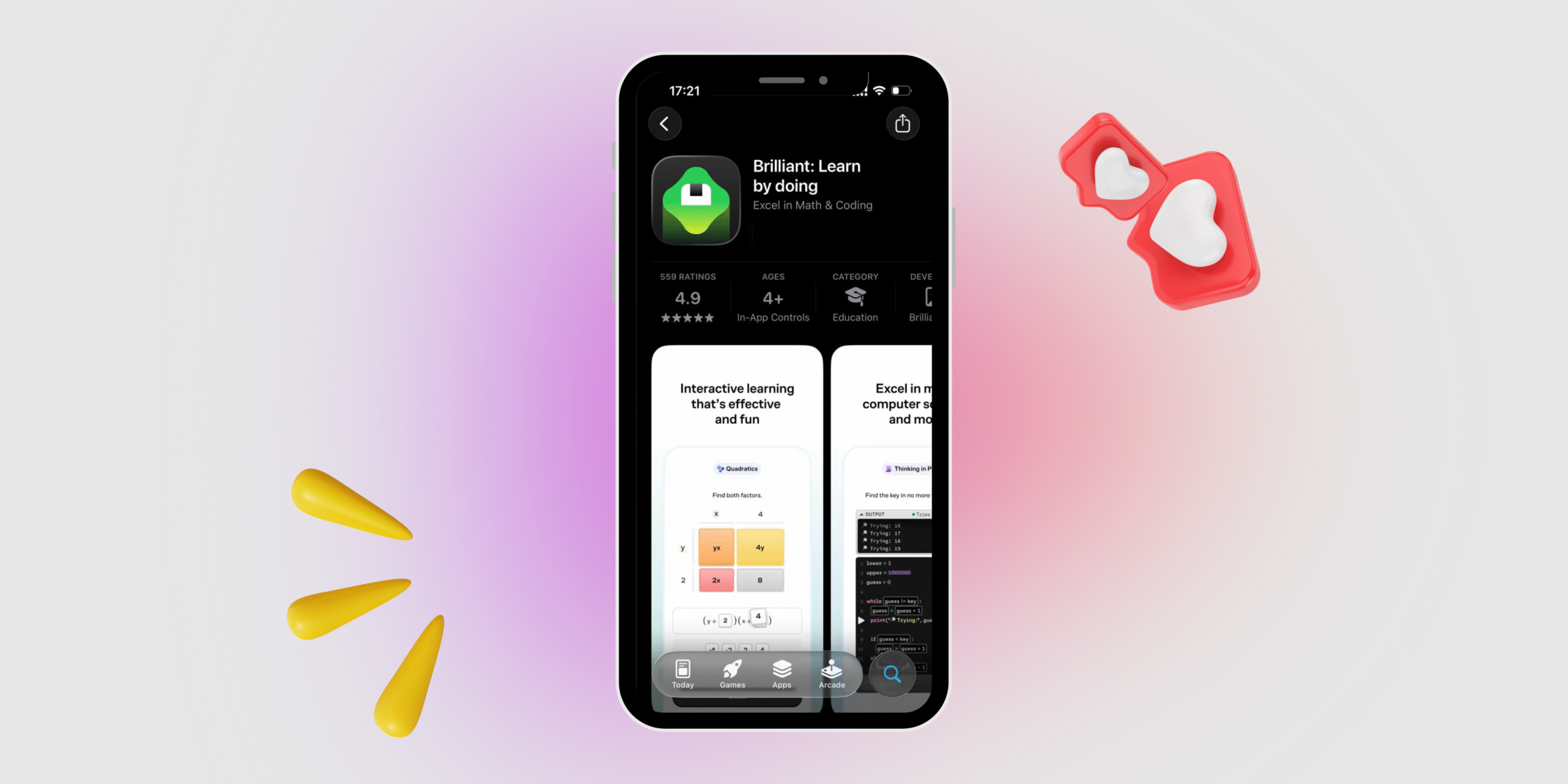
Brilliant app can be worth it — if you want “learn-by-doing” practice to build intuition in math/CS/data/science, and you’ll actually use it a few times a week. Brilliant is built around interactive problem-solving with feedback (not long lectures), so it’s great for staying consistent and making concepts “click.”
Many third-party breakdowns report pricing around $27.99/month and a cheaper annual effective monthly rate, but you should treat the official subscribe page as the source of truth.
It’s worth it if you:
- Learn best by doing, not watching.
- Want structured practice + fast feedback (great for intuition + fundamentals).
- Need a daily habit (10–20 min sessions) more than a full course.
It’s probably not worth it if you:
- Need college-level depth, proofs, or a full replacement for a formal course (users often say it’s good mental exercise, but not a full course).
- Care about offline learning — Brilliant lessons currently require internet and aren’t downloadable.
- Mainly want certificates/credentials (Brilliant is more skill-building than credentialing).
Brilliant app overview
| Category | Overview |
|---|---|
| What it is | An interactive learning app focused on “learn by doing” problem-solving. |
| Main subjects | STEM-focused: math, CS, data, science (course library varies over time). |
| Learning format | Step-by-step interactive lessons with feedback. |
| Platforms | Desktop web, mobile web, iOS, Android. |
| Internet / offline | Requires internet; lessons aren’t downloadable for offline use. |
| Free access | Limited free access (e.g., first two levels of each course). |
| Premium access | Full library access (unlimited, ad-free access to courses/features). |
| Plan types | Monthly, Annual, Family, Group plans. |
| Group plan example | Example pricing shown for group plans (e.g., per-person monthly equivalent billed annually). |
| App store presence | Available on Apple App Store (and Android via Google Play). |
What is Brilliant?
Brilliant is an interactive learning app built around one simple idea: you learn faster when you solve instead of just watching. Instead of long video lectures, Brilliant guides you through bite-size lessons where you answer questions, experiment with ideas, and get instant feedback that helps you understand why something works (and where you went wrong). The platform focuses mainly on STEM topics—like math fundamentals, probability, logic, computer science, and data thinking—so it’s especially useful if you want to build real intuition and problem-solving skills, not just memorize formulas. It’s available on web and mobile, which makes it easy to turn learning into a consistent daily habit.
Key features
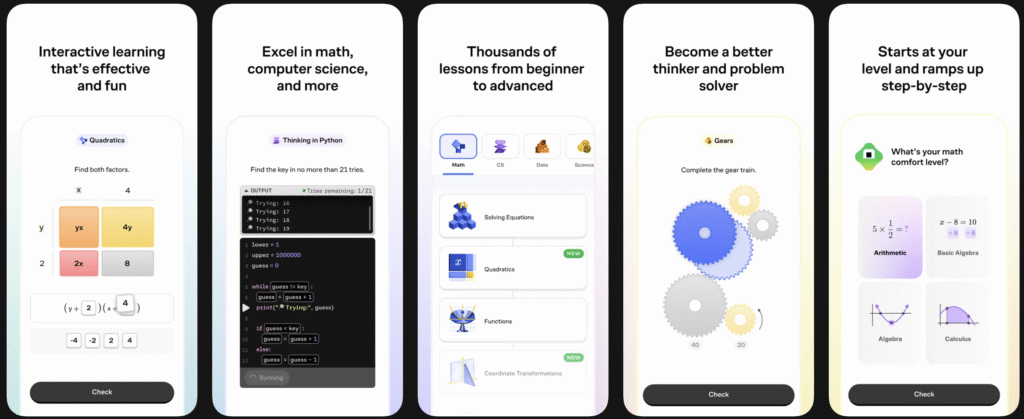
- Interactive lessons that walk you through concepts step by step
- Intelligent feedback that helps catch mistakes while you’re learning
- Courses across STEM (math, computer science, data, science)
- Learning Paths (guided sequences of courses that build skills progressively)
- Works across devices (web + iOS + Android) with one subscription
- Free vs Premium model: Free has daily limits/keys + some ads; Premium removes limits and ads and lets you jump anywhere
- No offline mode: lessons currently require an internet connection and aren’t downloadable
Brilliant Reviews
Across the main review platforms, Brilliant is generally rated highly for being genuinely engaging and easy to learn from, with users repeatedly highlighting its interactive, “learn-by-doing” lessons and immediate feedback—but the most common complaints are about subscription cost/billing expectations and that some topics can feel not deep enough for advanced study. On Google Play, it’s rated 4.5★ with ~106K reviews. On the Apple App Store (US), it’s rated 4.7★ with 28K ratings. On Trustpilot, Brilliant.org shows a 4.0/5 score with ~2,708 reviews, where a noticeable portion of negative reviews mention renewal/refund frustration.
*Information is accurate as of the publication date.
What people like
- Interactive + clear explanations: “understand something new in an interactive and simple way” (App Store review).
- Feels engaging / habit-forming: “I happily come back every day to complete a lesson” (Trustpilot).
- Easy to use + supportive support (sometimes): “Great learning app that’s easy to use… they issued me a refund out of goodwill” (Trustpilot).
- No naggy UX (for some): “it doesn’t bombard you with notifications if you skip a day” (App Store review).
What people dislike
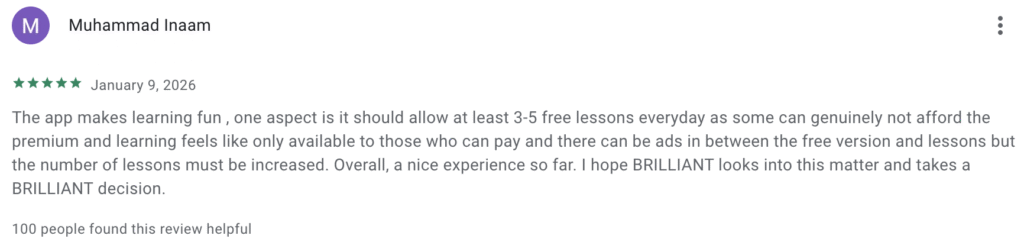
- Price feels steep, especially monthly: “monthly cost is very expensive” (Reddit).
- Subscription/billing frustration: “My subscription renewed unexpectedly… I got a refund” (App Store review—positive outcome, but highlights the issue).
- Not enough depth/practice for serious learning: “too fast to retain… you need to do many more problems than it offers” (Reddit).
- Harshest complaints: “not worth their high subscription cost… educational content is free on YouTube” (Reddit).
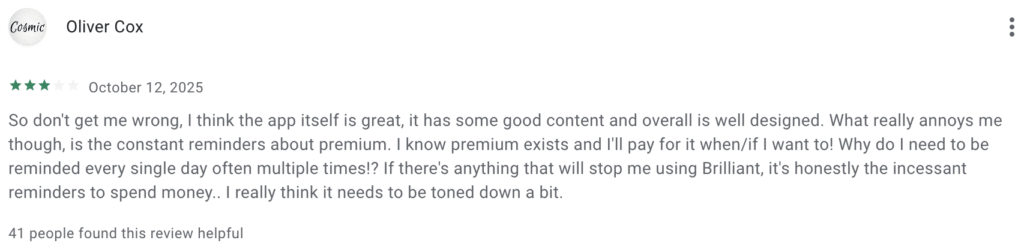
How Much Does the Brilliant App Cost?
Brilliant’s paid plan is Brilliant Premium, and on Brilliant’s own subscribe page it’s listed at $27.99/month on the monthly plan, or $13.49/month on the annual plan (billed as one yearly payment). Brilliant also offers Group plans (annual, 3–50 seats) with discounted per-seat pricing—for example, 3 seats for $11.33/month per person (billed annually as one payment).
Brilliant pricing
| Plan | Price shown by Brilliant | Billing |
|---|---|---|
| Premium (Monthly) | $27.99 / month | Monthly |
| Premium (Annual) | $13.49 / month | Billed as one yearly payment |
| Group (Annual, 3 seats) | $11.33 / month per person | Billed as one yearly payment |
| Group (Annual, extra seats) | $10.10 / month per additional seat | Billed as one yearly payment |
| Group size | 3–50 people | Annual group subscription |
- Free for K–12 students (via a teacher): K–12 teachers and their students may qualify for free Brilliant Premium through the Brilliant for Educators program. Students can’t apply on their own — your teacher applies, creates a class, and then invites you to join to unlock Premium for free.
- If you’re not in a teacher’s class: Brilliant still has a free tier (not “student-specific”) where you can access the first two levels of every course and do up to two lessons per day, with some restrictions and occasional ads.
Brilliant App Courses Overview
Brilliant offers a wide range of interactive STEM courses designed to teach concepts through hands-on problem solving rather than traditional lectures. The platform organizes its content into several learning paths, each focused on a specific subject area and built to progress from beginner to more advanced topics. The main subjects include math, computer science, data science, and science & technology, with lessons that combine explanations, puzzles, and practice problems to reinforce understanding.
Some of the most common topics covered on Brilliant include:
- Mathematics: algebra, geometry, probability, statistics, and calculus.
- Computer science & programming: algorithms, Python basics, computational thinking, and digital circuits.
- Data science: probability, statistical reasoning, and data analysis concepts.
- Science & technology: physics, quantum computing, AI fundamentals, and scientific reasoning.
Overall, Brilliant focuses primarily on STEM education, offering structured courses that help learners build logical thinking, analytical skills, and practical problem-solving abilities through interactive exercises.
Brilliant App User Experience
Brilliant offers a user experience designed around active learning and simplicity. Instead of long lectures, the app guides users through short, interactive lessons where they solve problems step by step and receive immediate feedback. The interface is clean and minimal, which helps learners stay focused on the concept rather than navigating complex menus. Lessons are structured as small challenges, making the experience feel more like solving puzzles than studying a traditional course. This approach encourages daily learning habits and helps users build intuition gradually, especially in subjects like math, computer science, and logic.
Is the Brilliant App Legit?
Yes, Brilliant is a legitimate learning platform. The app is part of Brilliant.org, an American online education company founded in 2012 by entrepreneur Sue Khim and focused on interactive STEM learning (math, science, and computer science). Sue Khim The platform has grown to millions of users worldwide and offers guided courses designed around problem-solving and hands-on learning rather than passive video lectures.
That said, while Brilliant itself is legitimate, user reviews across platforms show mixed experiences. Many learners praise the app for making complex topics easier to understand and for its engaging interactive lessons. However, some negative reviews mention issues like automatic subscription renewals or questions about value for money, which are common complaints with many subscription-based learning apps.
Overall, Brilliant is a real and widely used educational platform, but whether it’s “worth it” depends on your learning style, how often you use the app, and whether you find value in its interactive approach.
Should you choose Brilliant?
You should choose Brilliant if you want a “learn-by-doing” experience where you build real intuition through interactive problem solving + instant feedback, especially across math, programming/CS, data analysis, AI, and science. Brilliant is strongest for people who prefer short, structured lessons and want to make progress consistently (it’s designed for daily practice, not marathon lectures). If you want a full university-style course with long video lectures, deep proofs, or credentials, Brilliant can still help as practice—but it probably shouldn’t be your only learning resource.
Best free options
- Khan Academy — free, video-first + practice; great for fundamentals and breadth.
- MIT OpenCourseWare — full university course materials for serious depth (less “app-like,” more academic).
- YouTube STEM channels — great for explanations; pair with problem sets elsewhere.
Best “career / credential” options
- Coursera — courses, professional certificates, and sometimes degrees from universities/companies.
- edX — university-style courses and certificates, often more academic/rigorous.
- Udacity — structured “Nanodegree” style programs (often pricier, more career-track).
- LinkedIn Learning — broad professional skills library (less math-intuition, more workplace skills).
Leave a Reply