
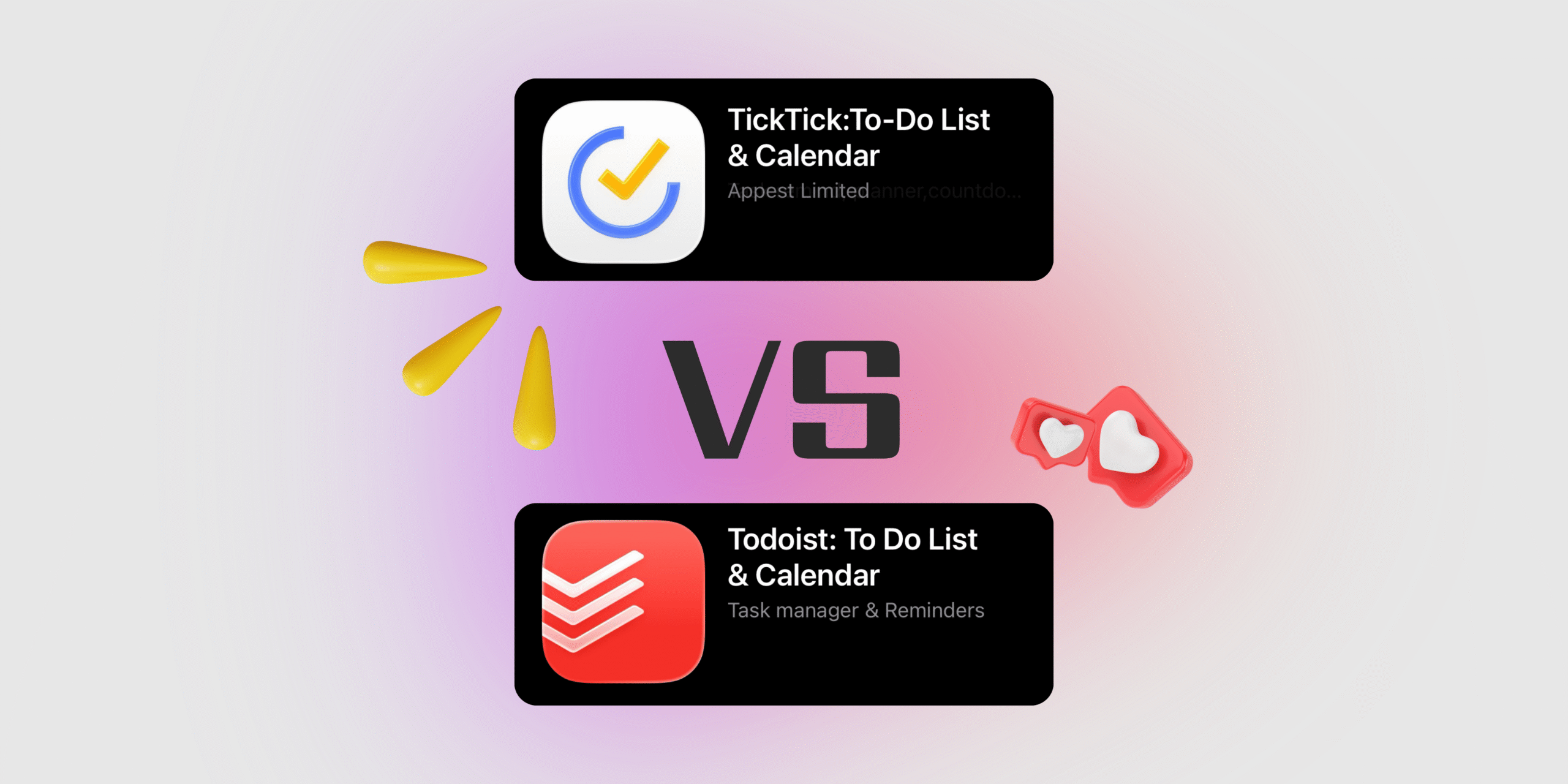
Choosing the right to-do app can completely change how you plan your day, manage work, and stay consistent with your goals. Two of the most popular options on the market today are Todoist and TickTick—both highly rated, widely used, and trusted by millions of users worldwide. While they may seem similar at first glance, these apps take very different approaches to productivity, pricing, features, and overall experience. In this comparison, we’ll break down how Todoist and TickTick differ, what each app does best, and which one makes more sense depending on how you plan to use it.
Todoist vs TickTick Comparison Table
| Feature / Aspect | Todoist | TickTick |
|---|---|---|
| Core focus | Clean, focused task manager | Feature-rich productivity hub |
| Ease of use | Simple & minimalistic UI | Slightly busier, more tools |
| Natural language input | Excellent | Good |
| Calendar view | Paid only / limited | Built-in (free + premium) |
| Habit tracking | ❌ | ✔️ Built-in |
| Pomodoro / focus tools | ❌ | ✔️ Built-in |
| Eisenhower Matrix | ❌ | ✔️ Built-in |
| Team & collaboration | Stronger integrations & team features | Basic sharing |
| Integrations | Wide ecosystem (e.g., Gmail, Slack, Zapier) | More limited |
| Pricing (Free plan) | $0 forever | $0 forever |
| Pricing (Premium / Pro) | ~$4/user/mo (billed annually) ≈ $48–$60/yr | ~$2.99–$3/mo or $27.99–$35.99/yr |
| Pricing (Team / Business) | ~$6–$8/user/mo | Included (no separate) |
| Best for | Structured task lists & teams | All-in-one personal productivity |
What is Todoist App?
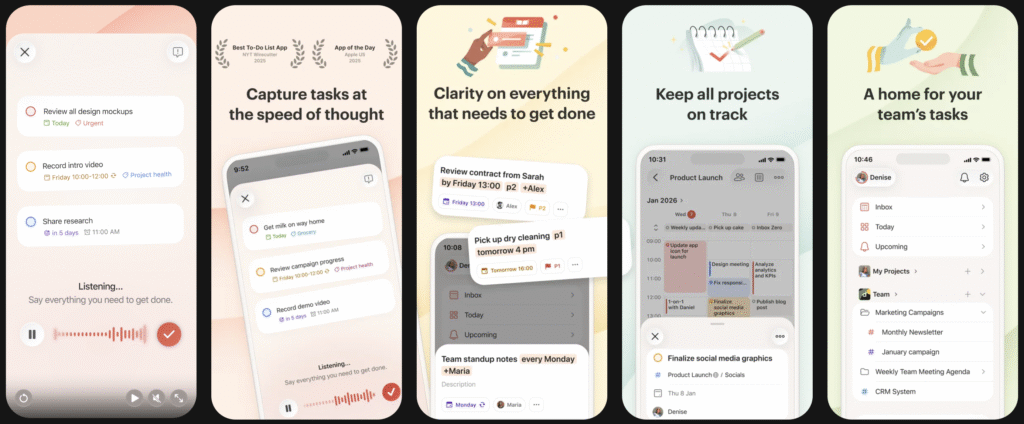
Todoist is a powerful yet minimalist task management app built to help individuals and teams plan, track, and complete their work more effectively. At its core, Todoist allows users to create tasks and organize them into projects, assign priorities, set deadlines, and break larger goals into manageable subtasks. One of its standout features is natural-language input, which lets users add tasks quickly using everyday phrases like “Prepare presentation next Monday” without manual setup.
Beyond basic to-do lists, Todoist offers advanced tools such as labels, filters, and recurring tasks, making it easy to manage complex workflows or long-term routines. The app syncs seamlessly across web, mobile, and desktop platforms, ensuring tasks are always up to date. For productivity tracking, Todoist includes visual insights and streaks that help users stay consistent over time. With integrations for tools like calendars, email, and team collaboration platforms, Todoist works especially well for professionals who want a clean, reliable system that scales from personal task lists to shared team projects—without overwhelming the user with extra features.
Main Features of Todoist
- Task & Project Management – Create tasks, organize them into projects, and break big goals into clear subtasks.
- Natural Language Input – Add tasks using everyday phrases like “Send invoice tomorrow at 10am” and Todoist auto-sets dates and times.
- Priorities & Due Dates – Assign priority levels and deadlines to focus on what matters most.
- Recurring Tasks – Easily set repeating tasks for daily habits, weekly meetings, or monthly goals.
- Labels & Filters – Use labels and custom filters to build advanced views (by work type, urgency, or context).
- Cross-Platform Sync – Available on web, iOS, Android, Windows, and macOS with real-time syncing.
- Calendar & App Integrations – Connect Todoist with Google Calendar, Outlook, Gmail, Slack, Zapier, and more.
- Collaboration & Sharing – Share projects, assign tasks, and collaborate with teams or family members.
- Productivity Insights – Track completed tasks, productivity trends, and streaks to stay motivated.
- Clean, Minimal UI – Distraction-free design focused on clarity, speed, and ease of use.
What is TickTick App?
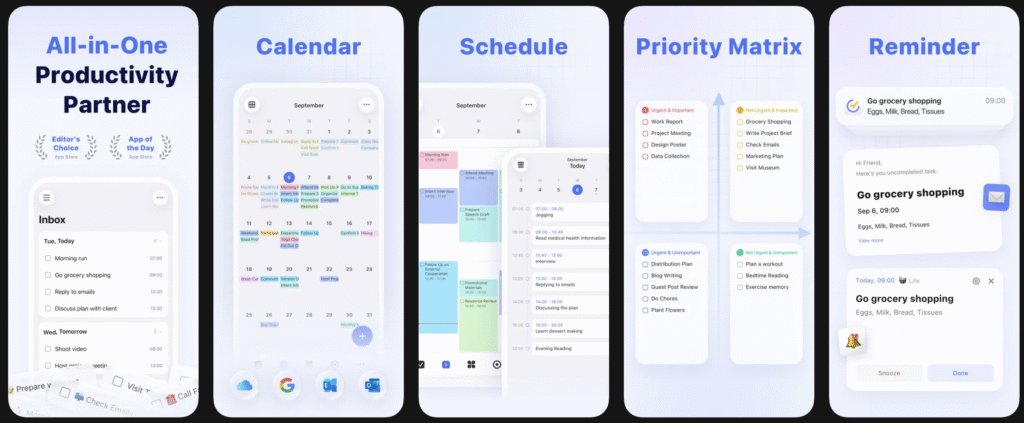
TickTick is an all-in-one productivity and task management app designed to help users organize tasks, manage time, and build productive routines in a single workspace. In addition to standard to-do list features like tasks, projects, due dates, and reminders, TickTick stands out for its built-in productivity tools, including a calendar view, habit tracker, Pomodoro focus timer, and Eisenhower Matrix. This makes it especially appealing to users who want more than just task lists and prefer to plan, focus, and track habits without relying on multiple apps.
TickTick supports recurring tasks, priorities, tags, and smart lists, allowing flexible organization for both personal and work life. It syncs across web, mobile, and desktop platforms, ensuring tasks stay updated everywhere. While it also offers basic collaboration and task sharing, TickTick is primarily optimized for personal productivity and self-management. Overall, the app is known for offering a wide range of features at a relatively affordable price, making it a popular choice for users who want a feature-rich productivity system in one app.
Main Features of TickTick
- Task & Project Management – Create tasks, organize them into lists and projects, and split large goals into subtasks.
- Built-In Calendar View – Plan tasks visually with daily, weekly, and monthly calendar layouts.
- Habit Tracker – Track daily habits and routines directly inside the app, without extra tools.
- Pomodoro Focus Timer – Use an integrated focus timer to work in concentrated sessions and reduce distractions.
- Eisenhower Matrix – Prioritize tasks by urgency and importance using a built-in decision matrix.
- Recurring Tasks & Reminders – Set flexible recurring schedules and multiple reminders for important tasks.
- Tags & Smart Lists – Organize tasks with tags and automatically generated smart lists.
- Cross-Platform Sync – Available on web, iOS, Android, Windows, macOS, and browser extensions with real-time sync.
- Task Sharing & Collaboration – Share lists and assign tasks to others for light team or family use.
- Statistics & Productivity Insights – View completion stats and trends to understand your productivity patterns.
- Customizable Interface – Choose themes, layouts, and views to match your workflow and personal style.
TickTick vs Todoist Comparison
Todoist and TickTick both help users manage tasks and projects, but they take noticeably different approaches to productivity.
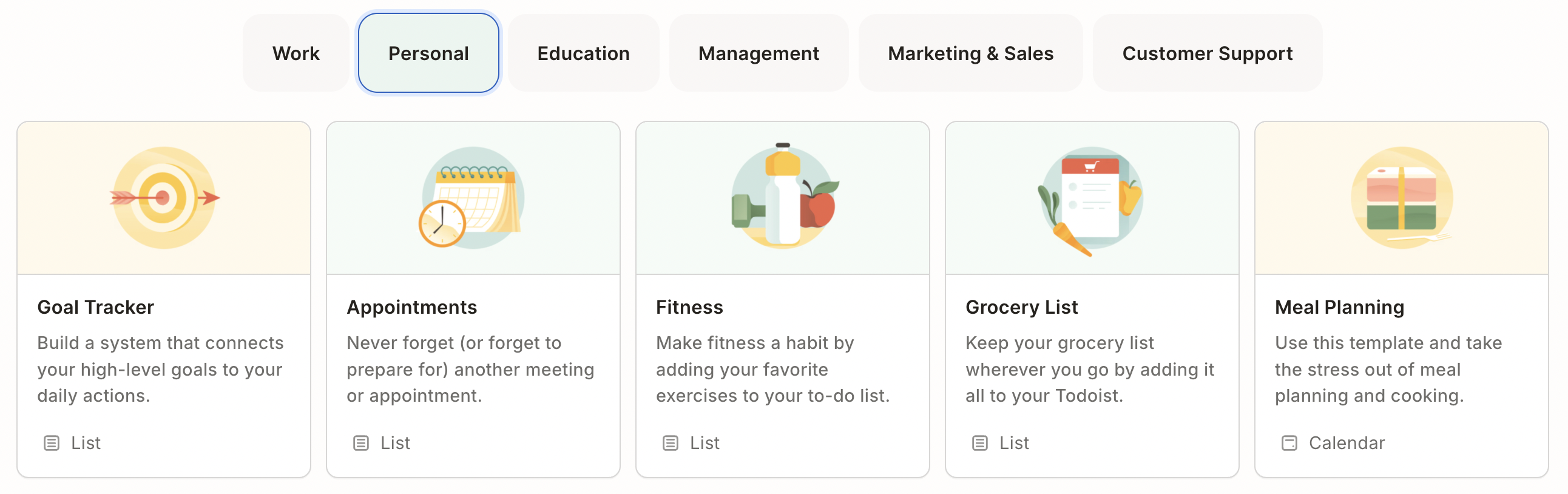
Todoist is built around simplicity and structure. Its clean, minimalist interface keeps the focus on tasks, projects, and priorities without extra distractions. It excels at quick task capture thanks to its excellent natural-language input, making it easy to add tasks on the fly. Todoist also stands out for advanced organization: labels, filters, priority levels, and recurring tasks make it especially strong for managing complex workflows or work-related projects. With powerful integrations for calendars, email, and team tools, Todoist feels very professional and scalable, particularly for people who collaborate with others or rely on a broader productivity ecosystem.
TickTick, on the other hand, is designed as an all-in-one productivity app. Beyond standard task management, it includes built-in tools like a calendar view, habit tracker, Pomodoro focus timer, and Eisenhower Matrix. This makes TickTick appealing to users who want to plan tasks, manage time, and build routines in one place without depending on additional apps. While its interface is slightly busier than Todoist’s, it offers more visual and functional options for planning days and weeks. TickTick is also generally more affordable, which adds to its appeal for personal productivity and everyday planning.
In short, Todoist is best for users who value a clean, focused experience with powerful task organization and integrations—especially for work and team use. TickTick is better suited for those who want a feature-rich, all-in-one system for personal productivity, habit tracking, and time management at a lower cost.
Todoist vs TickTick: Ratings Comparison
Based on user ratings in major app stores, Todoist and TickTick are both very well-received, though they show slightly different patterns in scale and audience reach. Todoist has a larger and more established user base, with an average rating of around 4.6⭐ on Google Play from roughly 290,000+ reviews and about 4.8⭐ on the Apple App Store with more than 120,000 ratings. These numbers reflect its long-standing presence, reliability, and popularity among both personal and professional users.
TickTick, while having a smaller overall volume of reviews, scores just as high in user satisfaction: it holds an average rating of about 4.7⭐ on Google Play from 150,000+ reviews and similarly strong ratings on the Apple App Store, where users consistently praise its built-in productivity tools. In short, Todoist leads in total review volume and global adoption, while TickTick matches it in ratings, indicating very high satisfaction among a slightly smaller but loyal user base.
Todoist and TickTick: Pricing Comparison
When comparing pricing between Todoist and TickTick, both apps offer free versions that are perfectly usable for basic to-do lists, but they differ noticeably in cost and value once you go premium. Todoist’s paid plans tend to be priced higher, with individual Premium subscriptions typically around $4–$5 per month (billed annually) and Business plans costing more for team features and advanced integrations. In contrast, TickTick’s Premium subscription is generally more affordable, often around $2.99–$3 per month (billed annually), and includes a broader set of built-in productivity tools—like a calendar view, habit tracker, and Pomodoro timer—without needing extra apps or upgrades. As a result, TickTick usually represents better value for individual users who want a rich feature set at a lower cost, while Todoist justifies its higher price for people and teams who prioritize deep task organization and extensive third-party integrations.
| Pricing Aspect | Todoist | TickTick |
|---|---|---|
| Free plan | ✔ Available (basic task & project management) | ✔ Available (includes calendar & habits) |
| Individual paid plan | ~$4–$5 / month (billed annually) | ~$2.99–$3 / month (billed annually) |
| Annual cost (individual) | ~$48–$60 / year | ~$27.99–$35.99 / year |
| Team / Business plan | ✔ Yes, ~$6–$8 / user / month | ❌ No separate team plan |
| Features in paid plan | Advanced filters, reminders, calendar integrations, team tools | Calendar view, habit tracker, Pomodoro, Eisenhower Matrix |
| Overall value | Higher price, stronger for work & teams | Lower price, more features for personal use |
AI Features Comparison
When comparing AI capabilities between Todoist and TickTick, Todoist currently has a clearer edge. Todoist includes built-in AI assistance (sometimes called Task Assist or AI Assistant) that helps users brainstorm tasks, break down large goals into actionable steps, and generate task lists from broad objectives, making it easier to structure complex projects and overcome productivity blocks. These AI features are integrated directly into the app (especially on paid plans) and help transform how you plan and refine your work. TickTick, in contrast, does not offer a native AI assistant as part of the core app’s feature set at this time. Users who want AI-driven task suggestions or smart automation with TickTick typically rely on external tools or custom integrations rather than a built-in AI workflow.
Real User Reviews Comparison
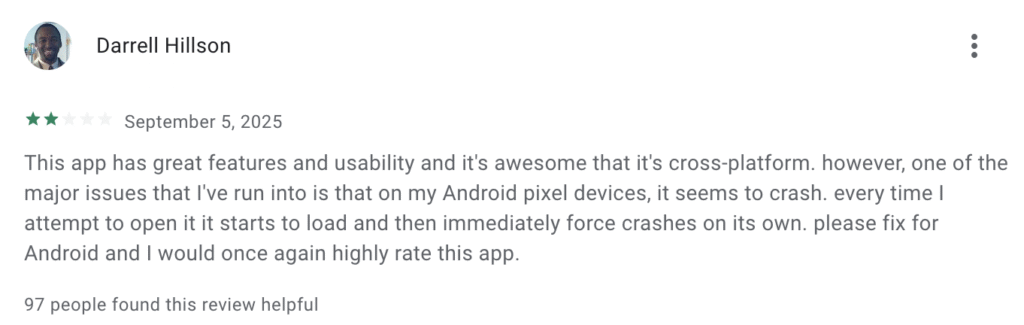
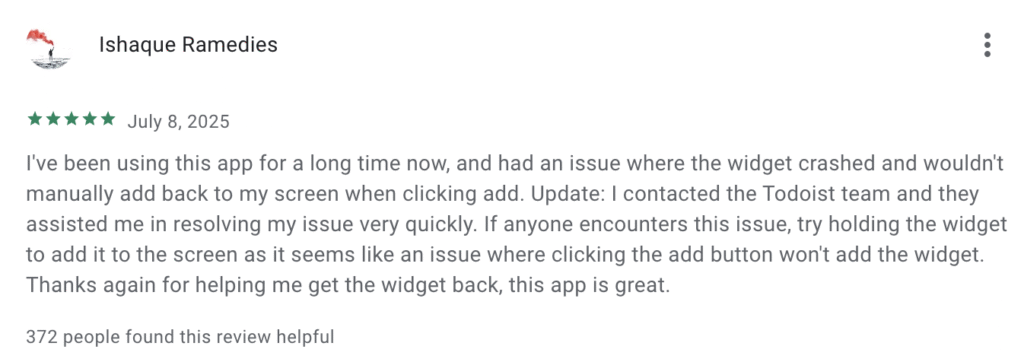
Users of Todoist often praise its clean interface, seamless sync across devices, and integration with tools like Google Calendar and Gmail, with one reviewer on Google Play noting how the free version “is plenty for my needs, and it has no ads,” and appreciating how natural language makes task entry easy. GooglePlay Many also appreciate that Todoist helps them organize both personal and professional tasks with clarity and structure. AppStore However, some users point out drawbacks — for example, certain features like reminders and collaborative tools are locked behind the paid tier, which can limit functionality for free users, and there are occasional comments online about the interface feeling overwhelming if you’re new or have many tasks.
For TickTick, feedback tends to emphasize its feature richness and flexibility. Many reviewers highlight how TickTick’s combination of to-do lists, calendar views, habit tracking, and Pomodoro focus tools helps them stay organized overall — one commenter on Reddit said they “improved significantly in my organizational skills with its regular use.” Reddit Another common positive is that the app is “relatively easy to use” despite offering many options, making it suitable for both simple daily tasks and deeper planning. On the flip side, some users mention that the abundance of features can be confusing at first, and occasional performance quirks (like reminders or task order issues) have been reported, especially on certain devices.
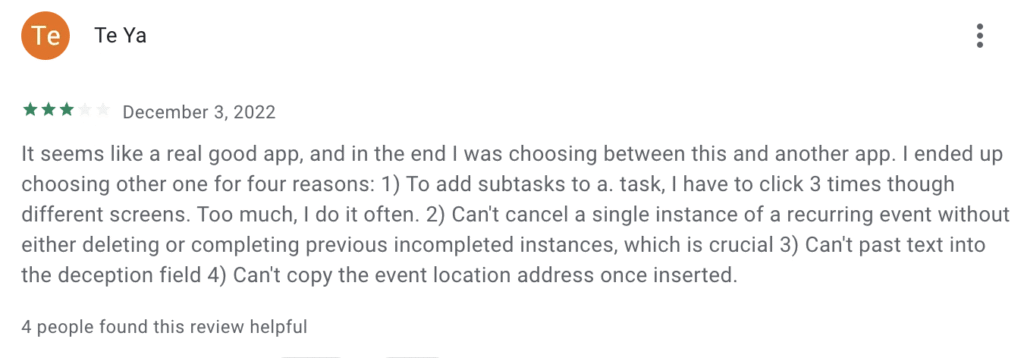
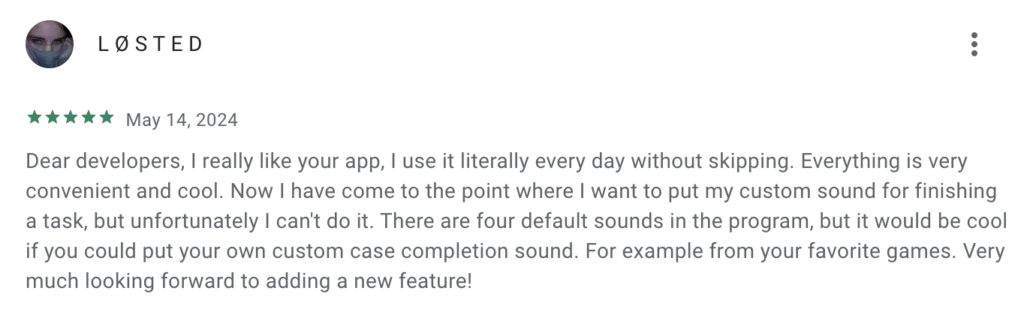
Overall, real users appreciate Todoist for its simplicity and professional polish, while TickTick earns praise for being more feature-packed and versatile, though each has trade-offs depending on how deeply you plan to use the app.
Which App Should You Choose — TickTick or Todoist?
If you’re trying to decide between Todoist and TickTick, your ideal choice really comes down to what you need most in a productivity app. Todoist is a better pick if you want a clean, focused task manager with strong organization tools, intuitive natural-language input, and excellent support for structured workflows—especially helpful when working with teams or integrating with other productivity platforms. It’s often described as sleeker and more streamlined for pure task planning and long-term projects.
On the other hand, TickTick stands out if you want a more feature-rich, all-in-one solution that includes built-in calendar views, habit tracking, Pomodoro timers, and flexible productivity tools without needing extra apps. It tends to offer more utility for personal productivity and daily routines at a lower price. In short, go with Todoist for simplicity, structure, and team workflows, and choose TickTick if you want everything in one place—calendar, habits, and timers—without juggling multiple tools.
Leave a Reply